
You can use the notification feature in the Moodle app on your smartphone.
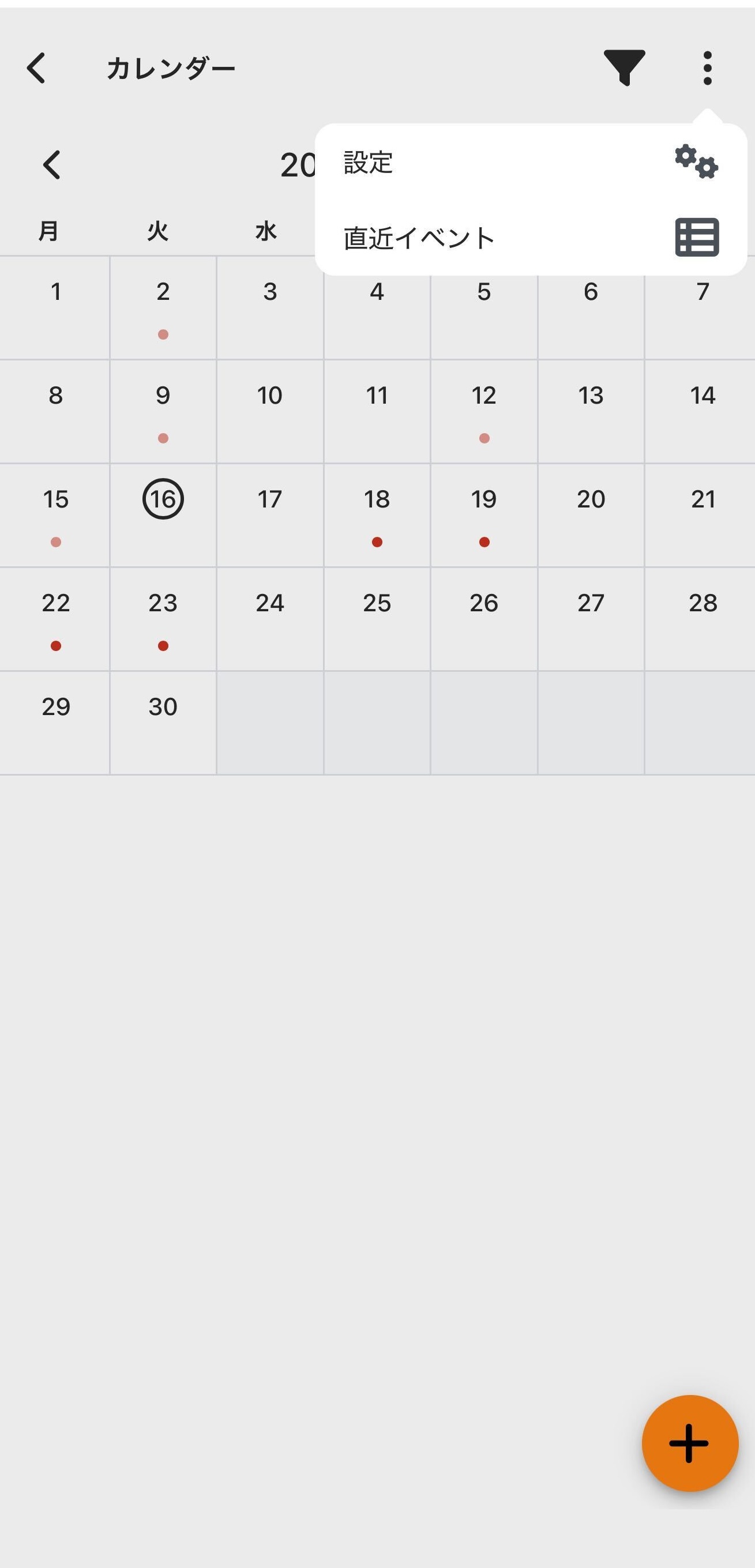
- Open the Calendar screen in the app.
- Tap "..." in the upper right, then open "Settings".
- Set the notification time.
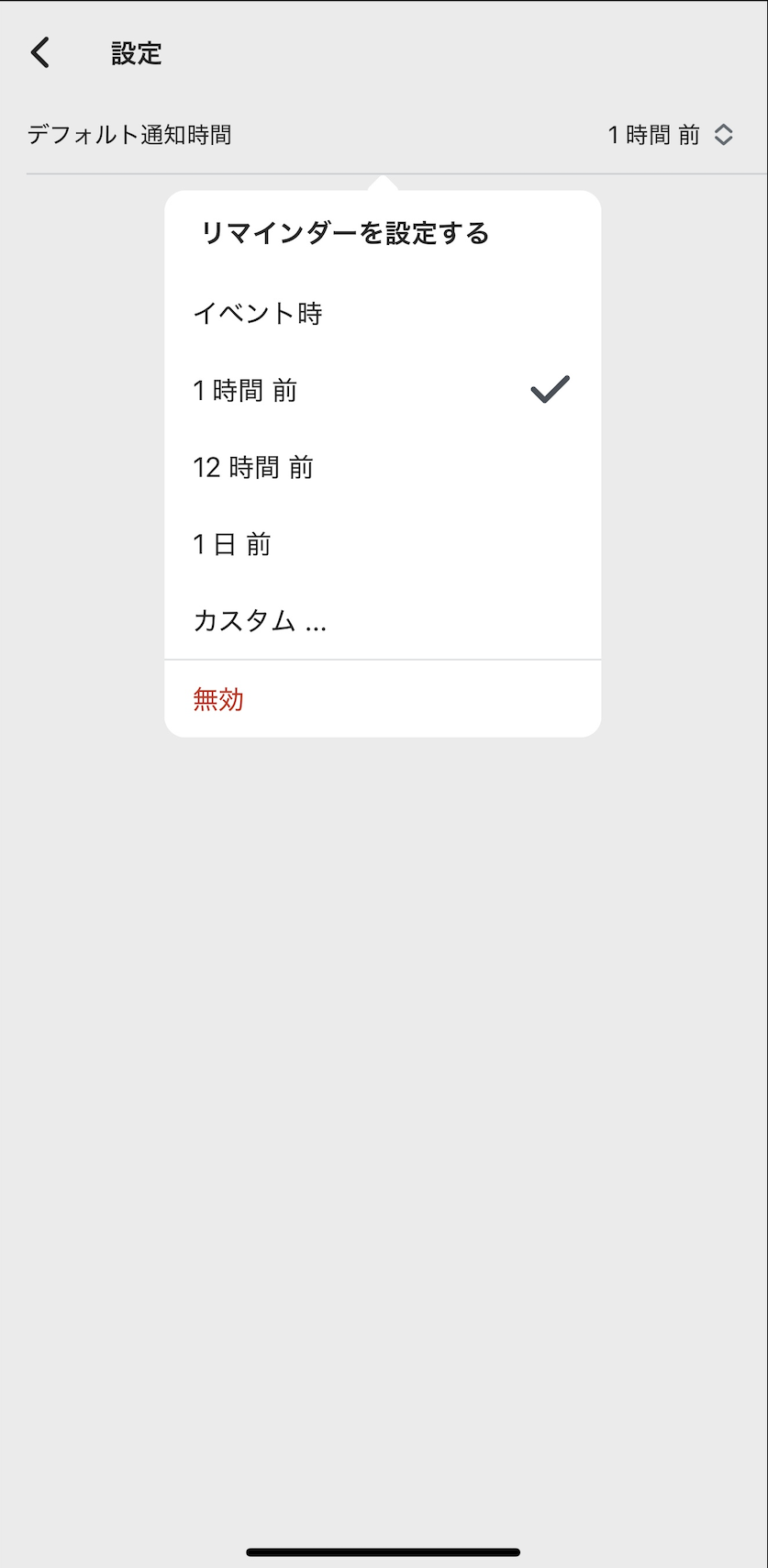
This feature applies to all events displayed in the Calendar. You will receive notifications for events other than assignments as well.