
Click the name icon at the top right of the LMS/MORE home page.
Click "Preferences".
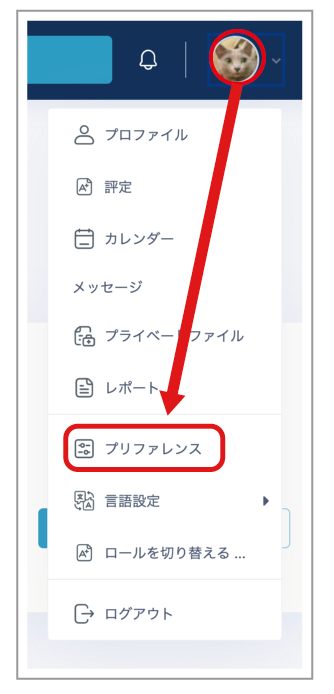
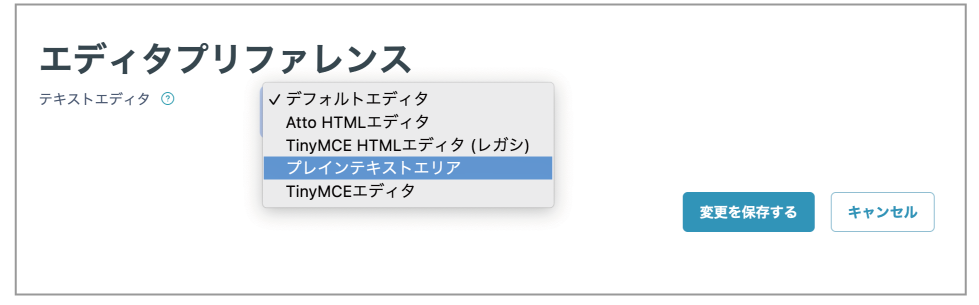
- Click "Editor preferences".
- Select "Plain text area".
- Click "Save changes".
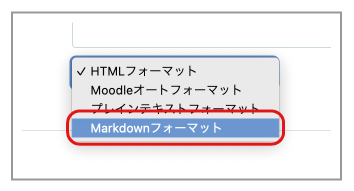
- Set the format for the description or content of an "Assignment", "Page", or similar item to "Markdown format".
Note
This changes settings for all editors, not only for a particular course. To use a different editor, change the setting in Editor preferences each time.
Content written in the HTML editor cannot be edited in Markdown, and content written in Markdown cannot be edited in the HTML editor.