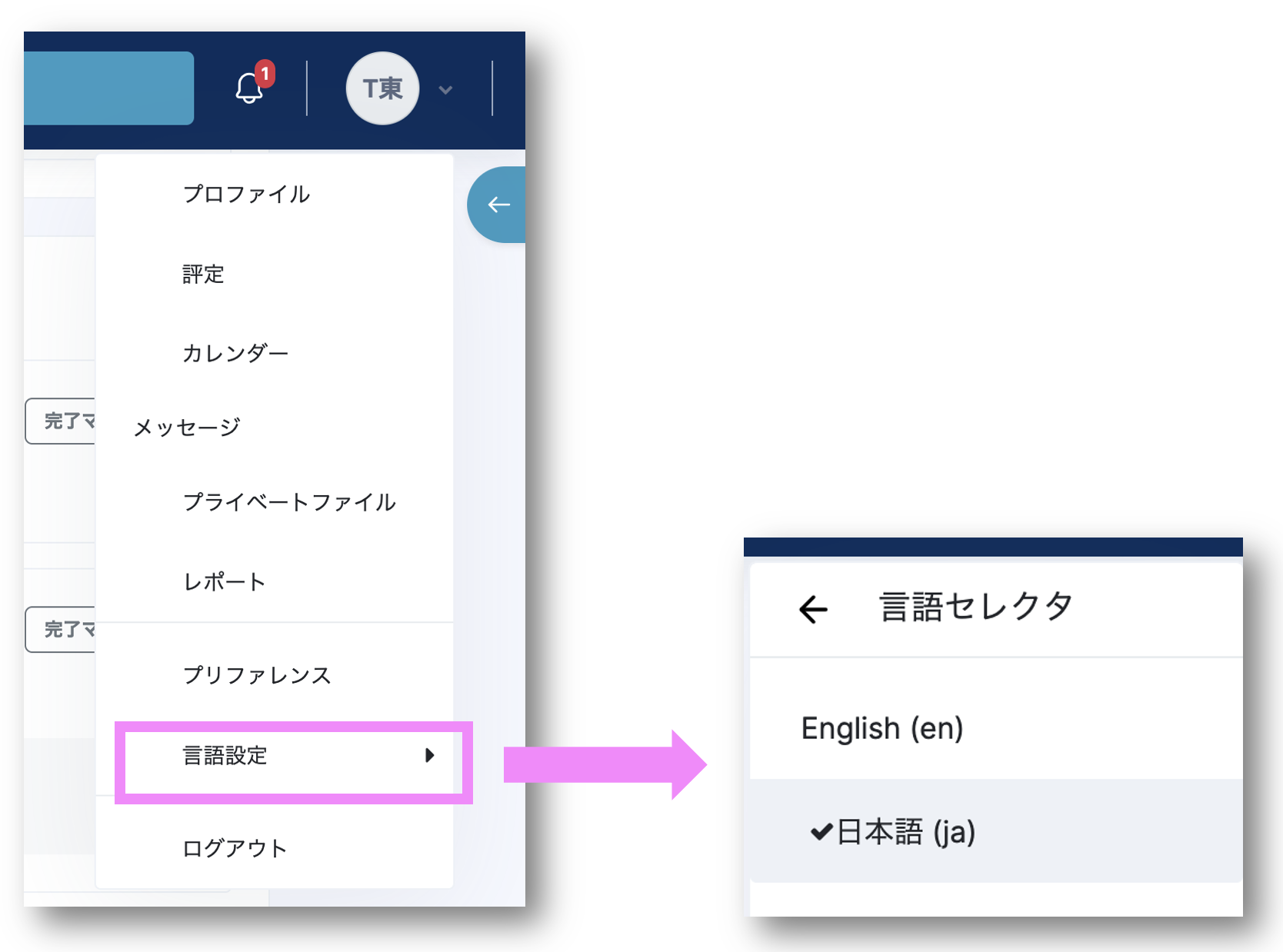
In LMS/MORE, you can use the language selector to switch the display language between "Japanese" and "English".
To automatically switch course page names, section names, and similar text according to the selected display language (Japanese or English), use multilang markup (HTML) as shown in the code below.
<span lang="ja" class="multilang">日本語</span>
<span lang="en" class="multilang">English</span>
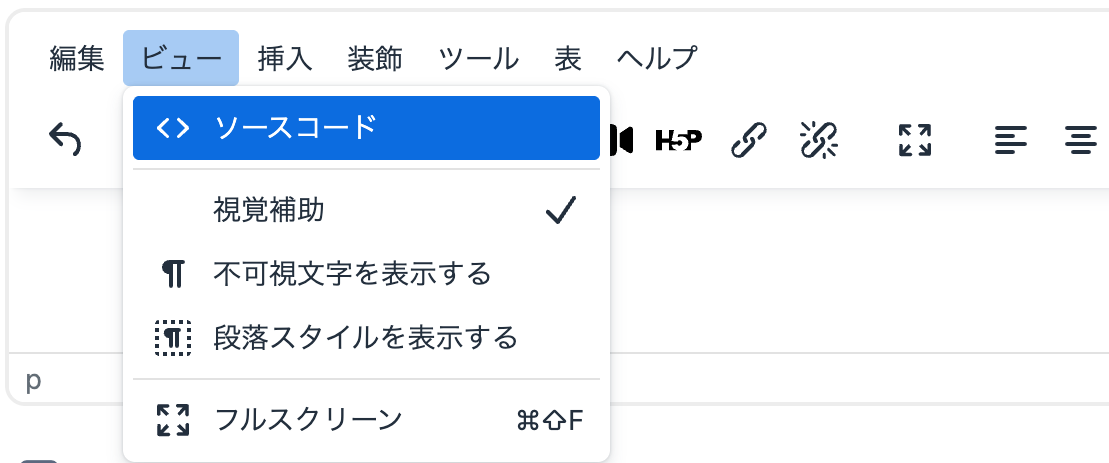
First, switch the text editor to "Source code (code view)" mode from its toolbar.
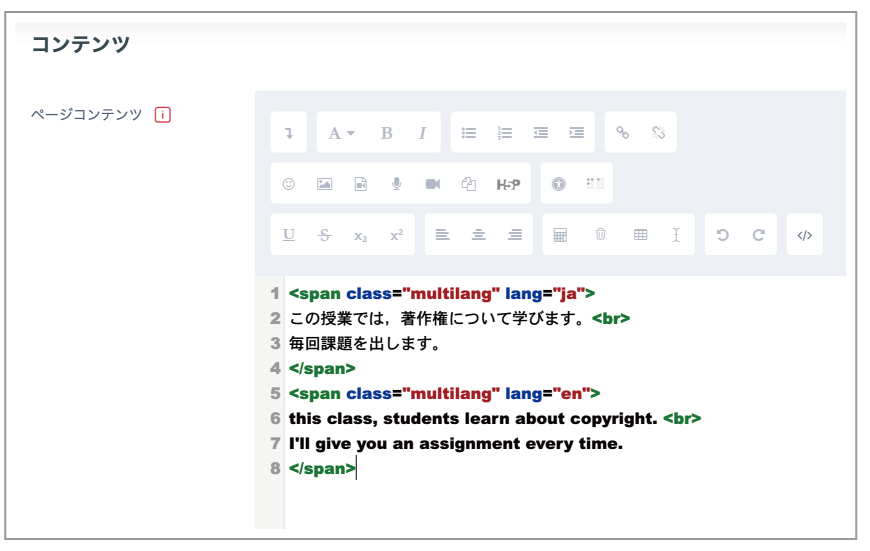
The editor switches to one in which you can enter HTML. Enter text using the following as a guide.
(Example)
<span class="multilang" lang="ja">
この授業では,著作権について学びます。<br>
毎回課題を出します。
</span>
<span class="multilang" lang="en">
In this class, students learn about copyright. <br>
Assignments are given in every class.
</span>
You can use the same markup to switch page names and the titles of other content between Japanese and English.

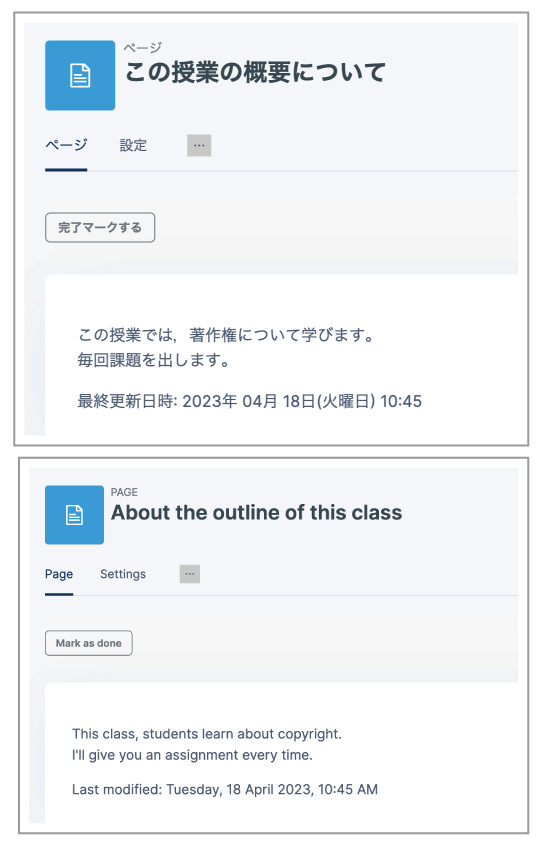
Click "Save and display". When you switch languages, the content is displayed as shown in the figures below.