
To check how a course you created looks to students, use the "Switch role" feature.
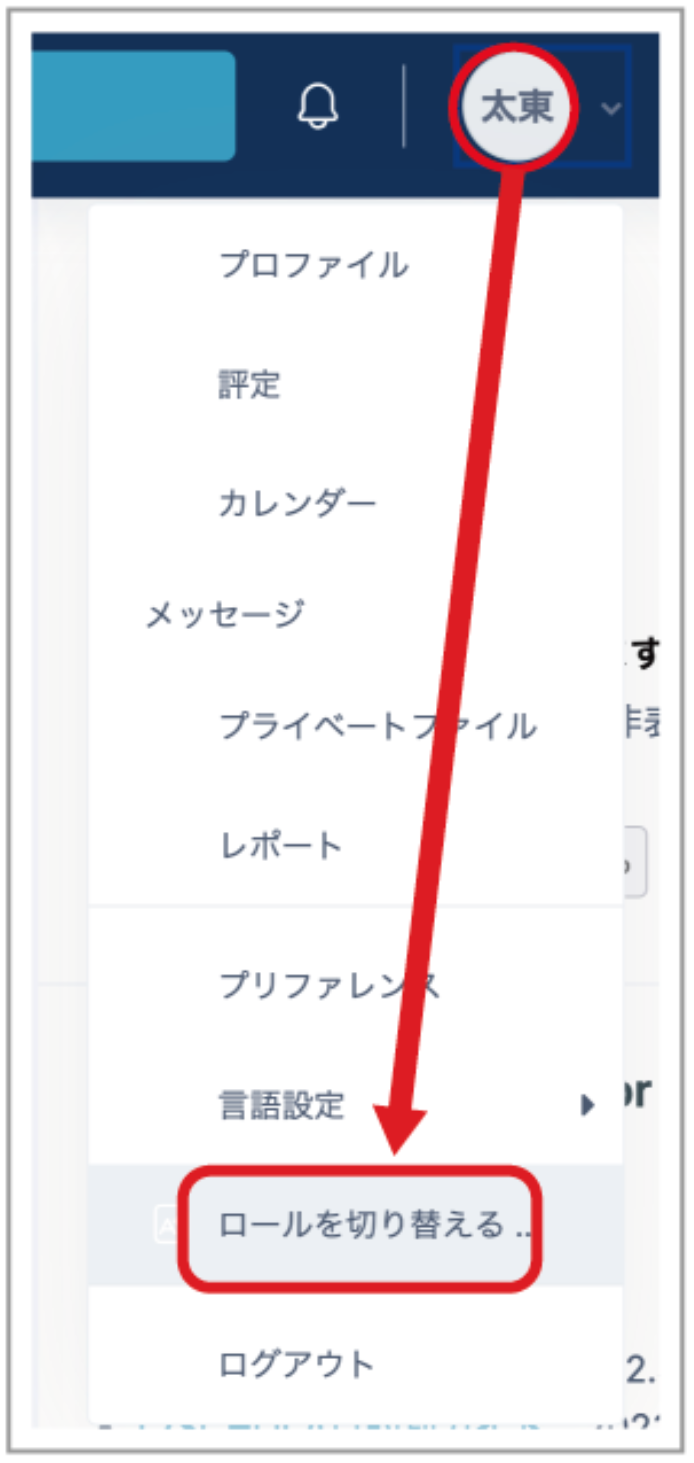
- Click the name icon, then click "Switch role to...".
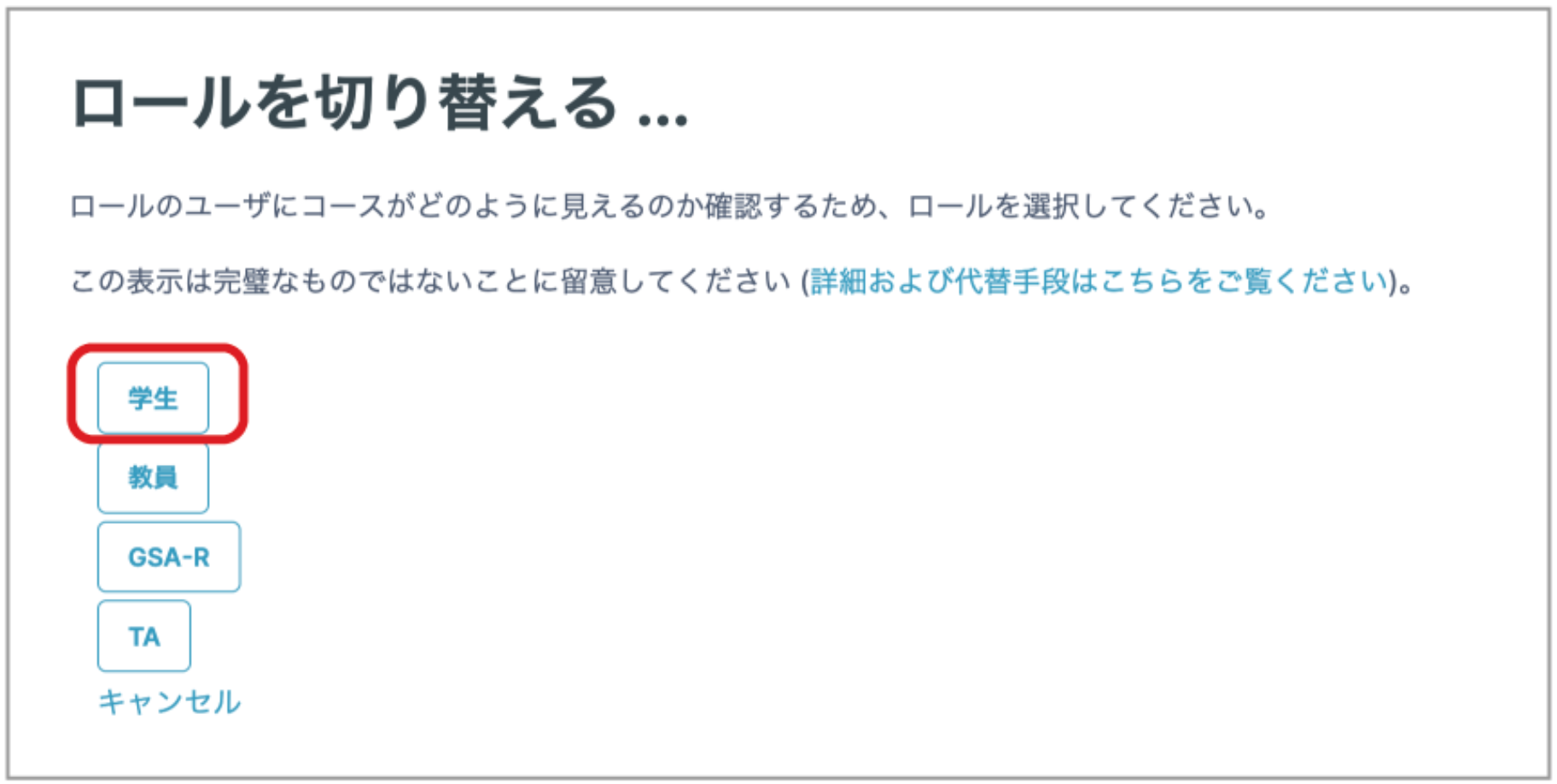
- Click "Student".
The course is displayed as students see it.
To return to your original role, click "Return to my normal role" from the name icon.
_Note:_ This feature is not perfect, so in some cases it may not display the student view correctly.