
By using Mediasite, a video delivery platform integrated with LMS and MORE, you can do the following.
- Upload video files
- Edit uploaded videos, such as trimming
- Deliver videos
Uploading and Managing Videos
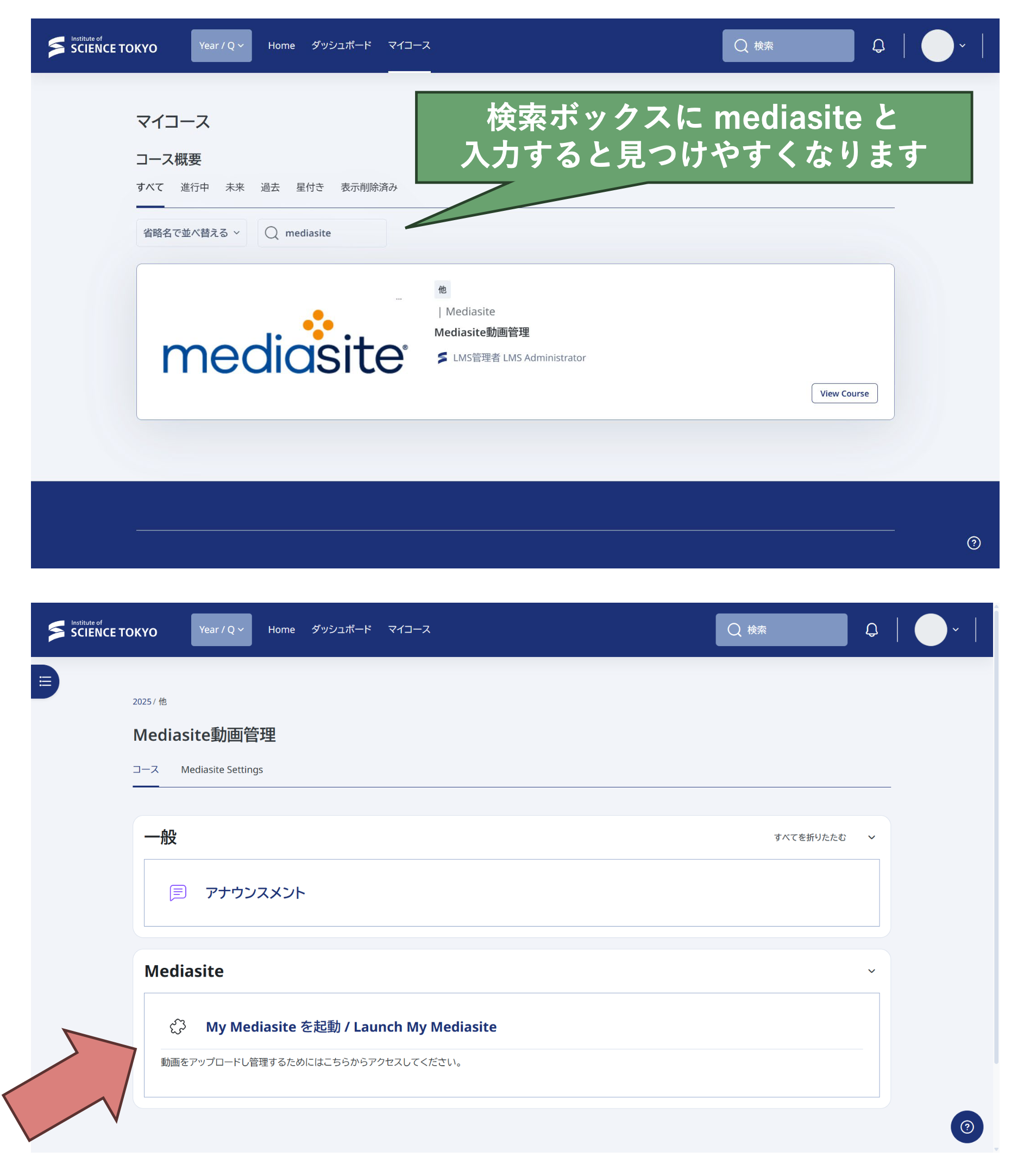
To upload video files, you need to access My Mediasite, your personal page within Mediasite. My Mediasite can be launched from the Mediasite Video Management course set up in LMS/MORE. The Mediasite Video Management course is available to faculty and staff, including hospital staff.
Find the Mediasite Video Management course in My courses and access it. Then click the "Launch My Mediasite" item in the course.
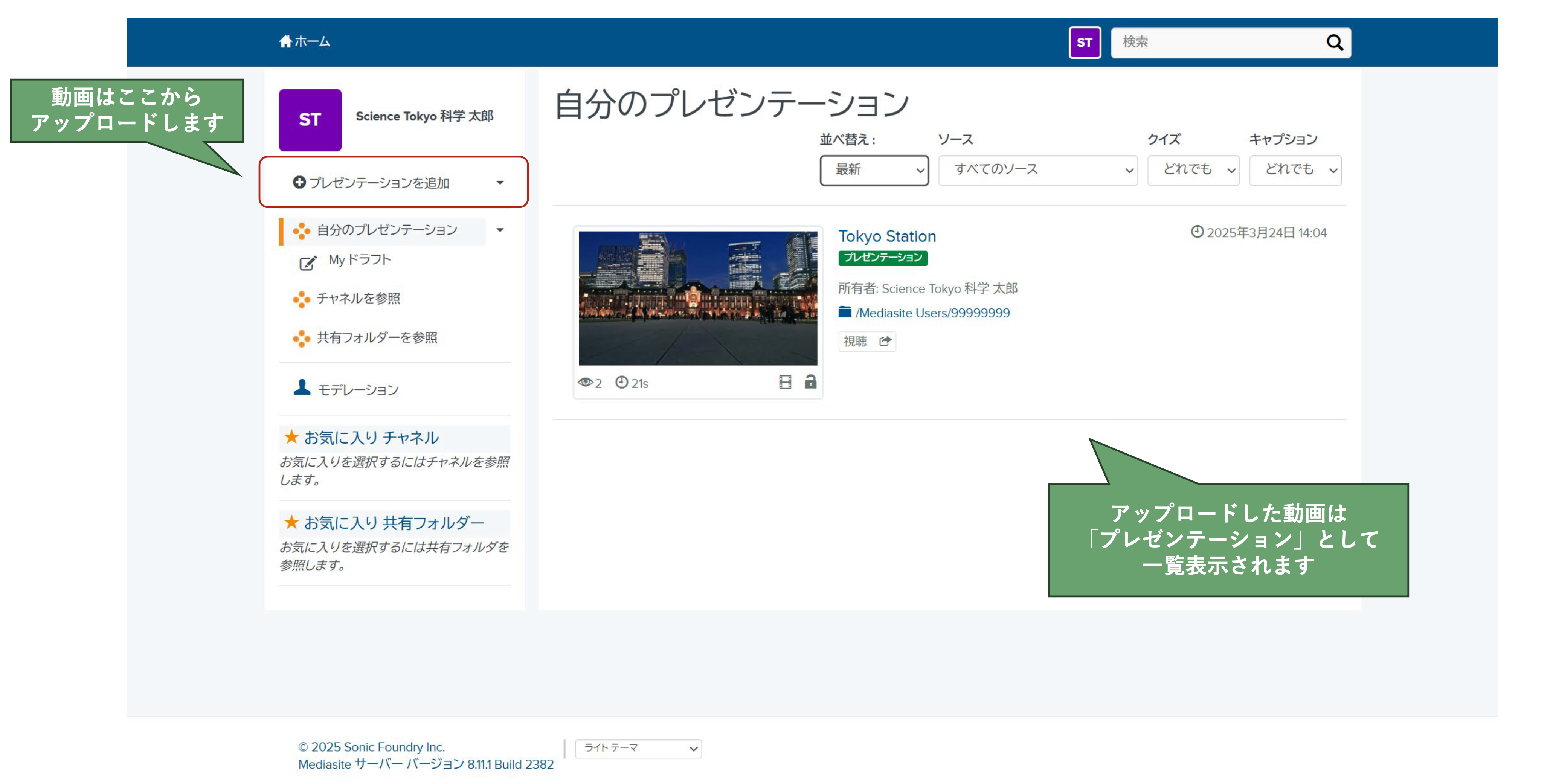
The My Mediasite home page will open in a new window or tab. In My Mediasite, videos are managed in units called Presentations.
Adding a Video to a Course
To make a video available to students in a course, first upload the video to My Mediasite, then add the Mediasite Content activity on the course page.

Select "Presentations". A list of the videos uploaded to your My Mediasite is displayed. For the video you want to add to the course, select the blue "Add to [course name]" button.
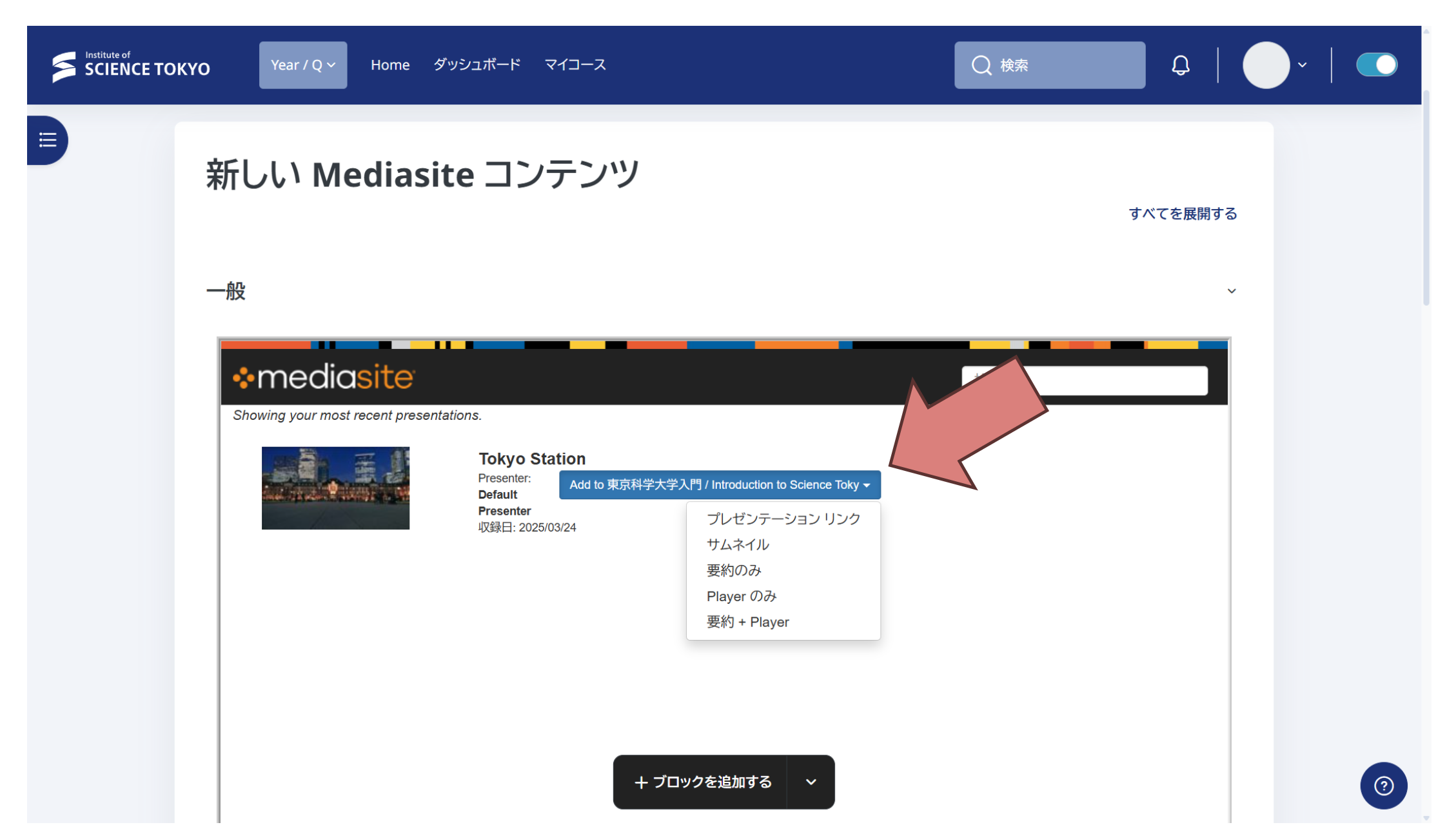
Select the display type according to how you want to show the video.
- Title link only → "Presentation Link"
- Title link and thumbnail → "Thumbnail"
- Video player embedded in the course page → "Player Only"