
Even if you are not enrolled in a course, if you have received an enrolment key from the teacher or person in charge, you can self-enrol and gain access to the course.
After receiving the enrolment key, follow the steps below to self-enrol in the course.
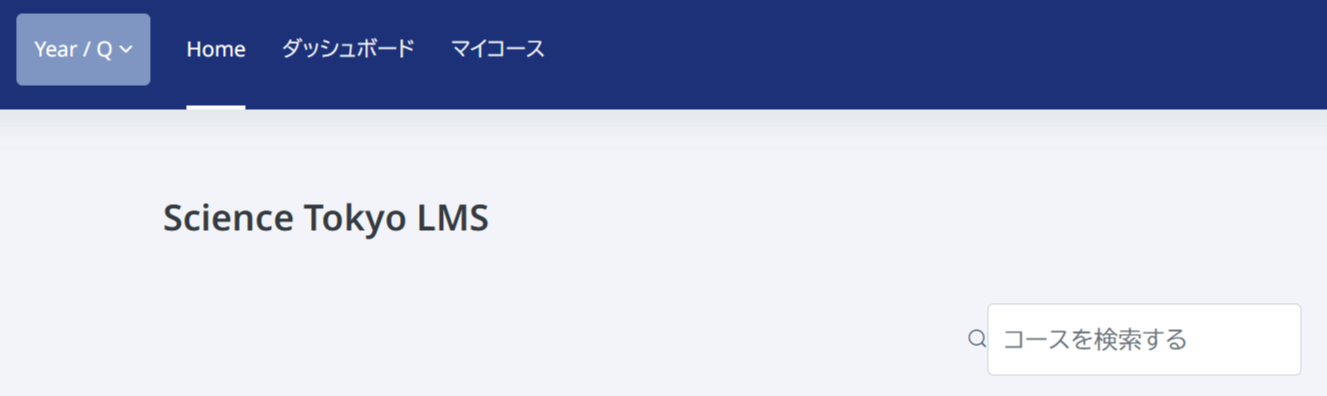
Click "Home" from the menu at the top of LMS/MORE to display the Home screen. Then enter the course name, subject code, or another keyword in "Search courses" at the top of the screen to search for the course.
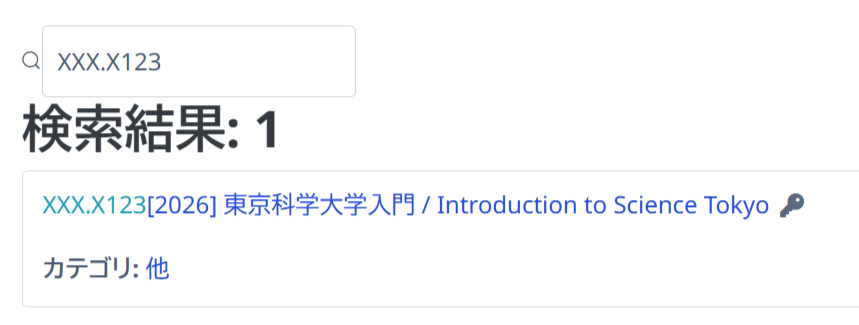
In the search results, courses for which Self enrolment is enabled are marked with a key icon. Click the name of the course in which you want to self-enrol.
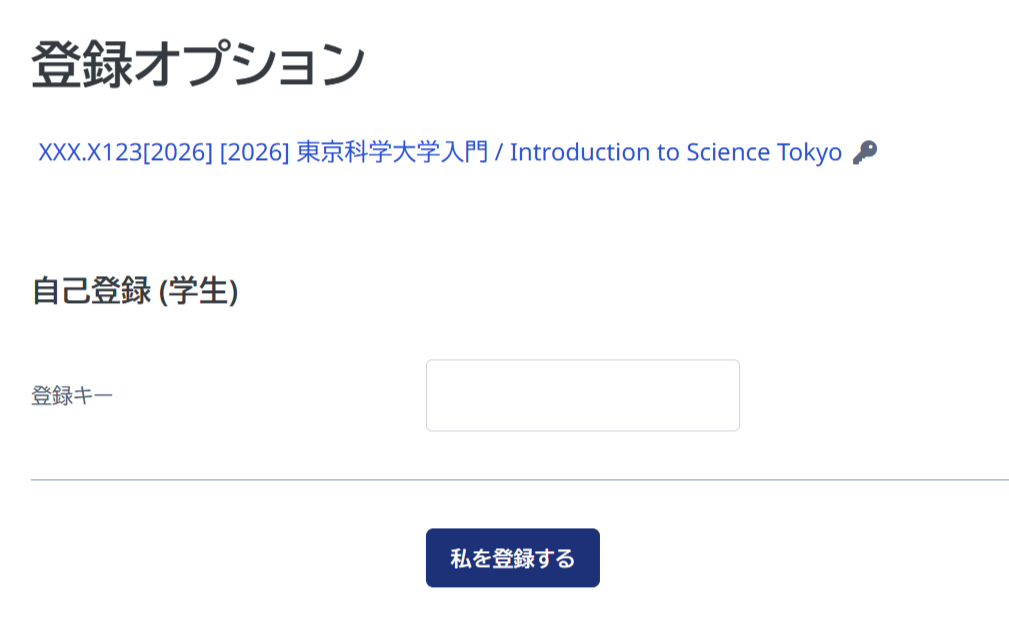
In the corresponding block, enter the enrolment key provided by the teacher and click "Enrol me".
Once Self enrolment is complete, you will be able to access the course in the same way as your other enrolled courses.
The teacher-side settings for using Self enrolment are summarized in the following FAQ.
https://isct-edu.tayori.com/q/lms-en/detail/1295099/