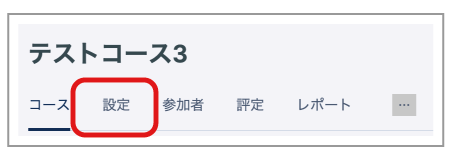
- Open the course and click "Settings".
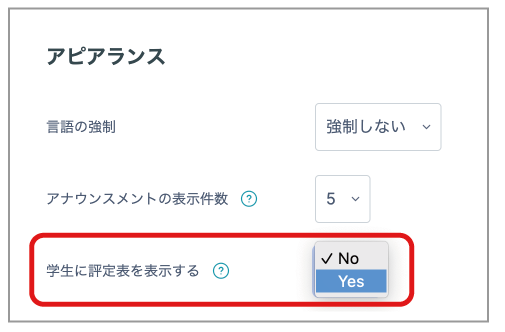
- Under "Appearance", set "Show gradebook to students" to "Yes".
- "Grades" is displayed in the student menu, allowing students to view the course Gradebook.
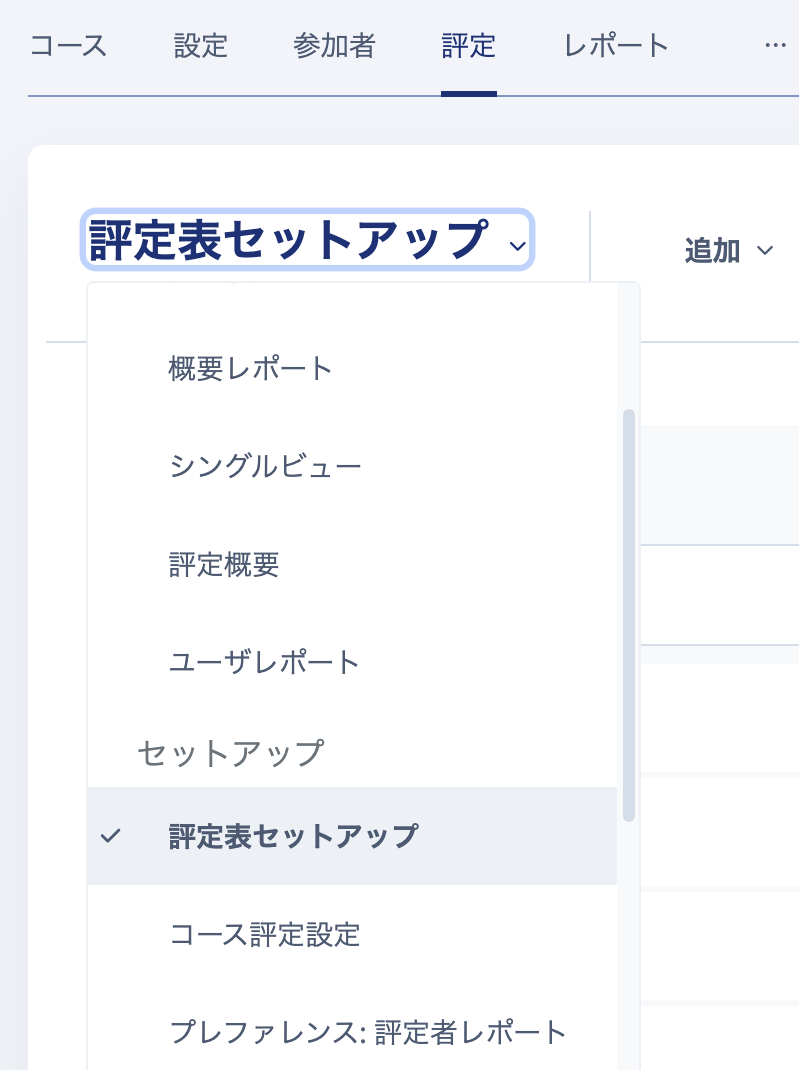
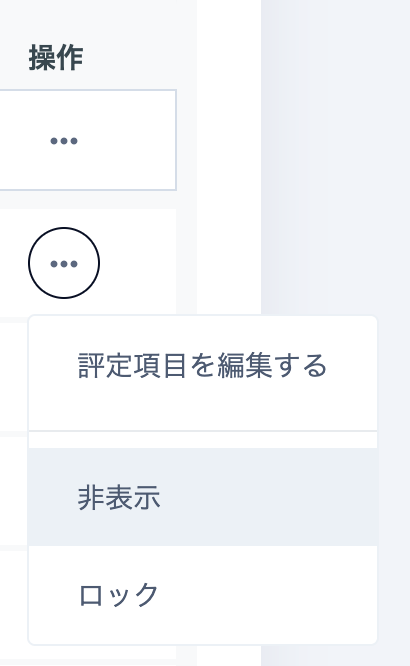
- To hide certain items (grades), select "Grades" -> "Grader report" -> "Gradebook setup", click "..." for the relevant item, choose "Hide", and click "Save changes" at the bottom of the page.