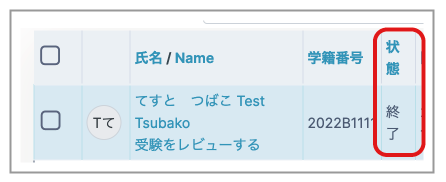
If a student closes their browser without clicking "Submit all and finish", their attempt remains unsubmitted. In this case, the status on the teacher's quiz results page will be displayed as "In progress".

The "Timing" settings explained in Setting Quiz Timing can prevent this situation. If they have not been configured, follow the steps below to force-submit an "In progress" attempt so that it can be graded.
- Open the relevant Quiz management page and click "Settings" in the menu.
- Under "Timing", set "Close the quiz" to a time shortly in the future. Example: if it is currently 2 May 2023, 14:28, set it to 2 May 2023, 14:30.
- Click "Save and display" at the bottom of the page.

Once the system has completed automatic submission (this may take about 10 minutes), the student's status on the results page changes to "Finished".