- In the "Grade" section of the Assignment settings, set a "Grade to pass".
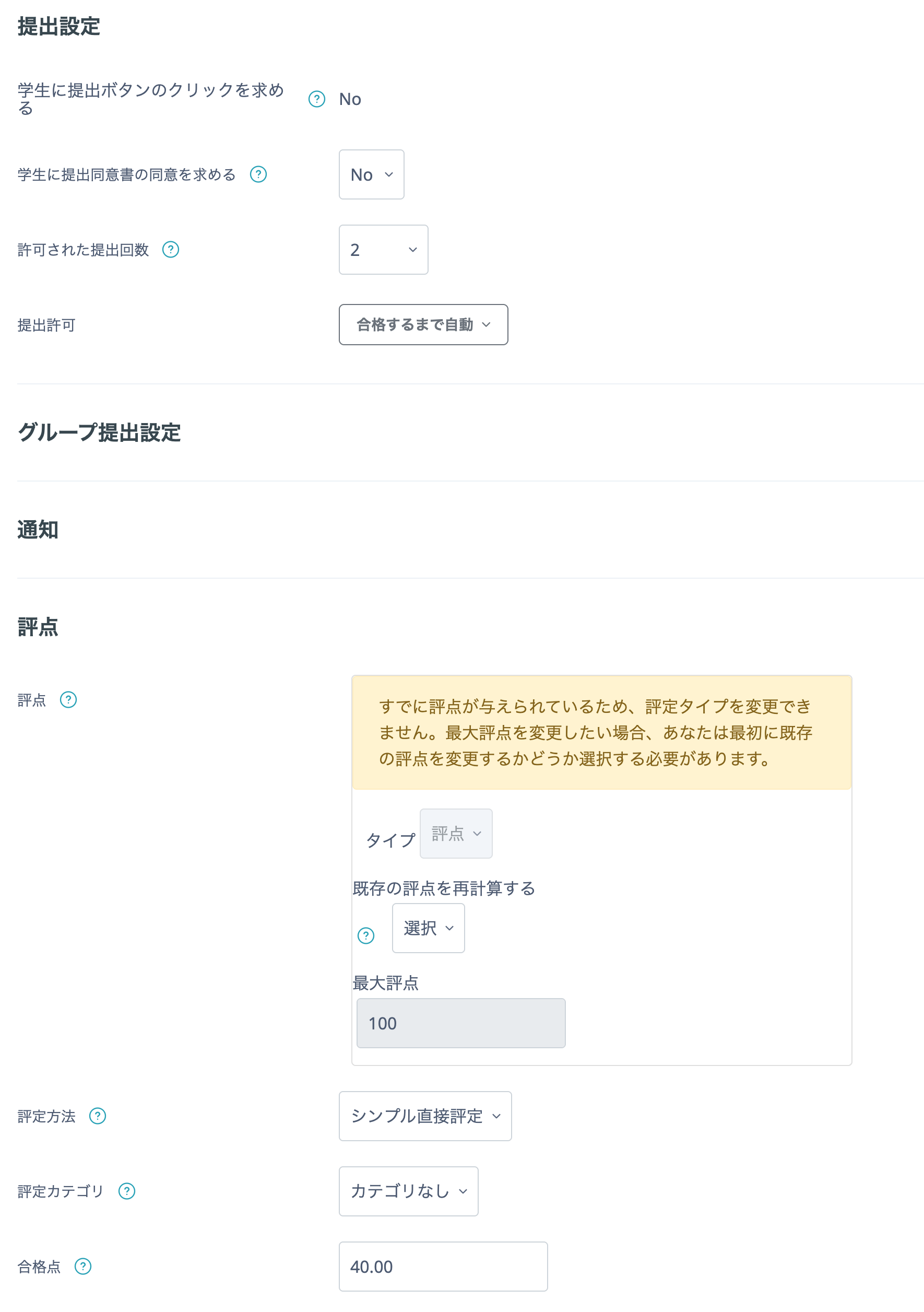
- Set "Grant attempts" to "Automatically until pass" and set "Allowed attempts".
- Click "Save and display".
After the teacher enters a grade, if the student has not achieved the grade to pass, the Assignment automatically reopens for resubmission. Students can resubmit automatically until they achieve the grade to pass. Once they pass, they can no longer resubmit automatically.
Student view