- Click "Date" from "Settings" -> "Restrict access" -> "Add restriction".
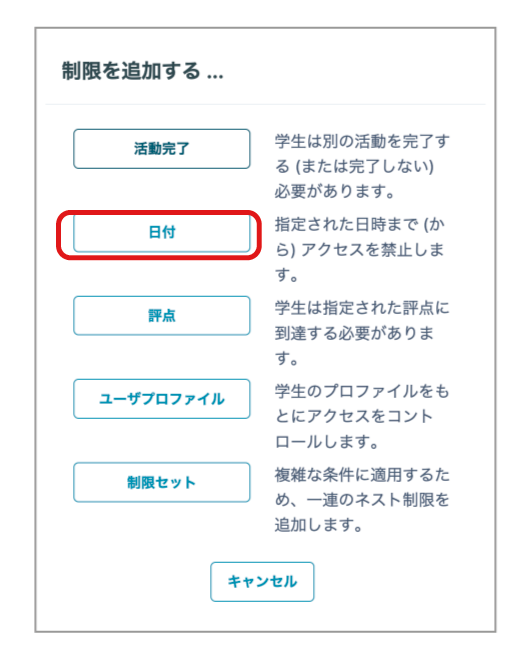
- To set a start date and time, enter the date and time in "From".
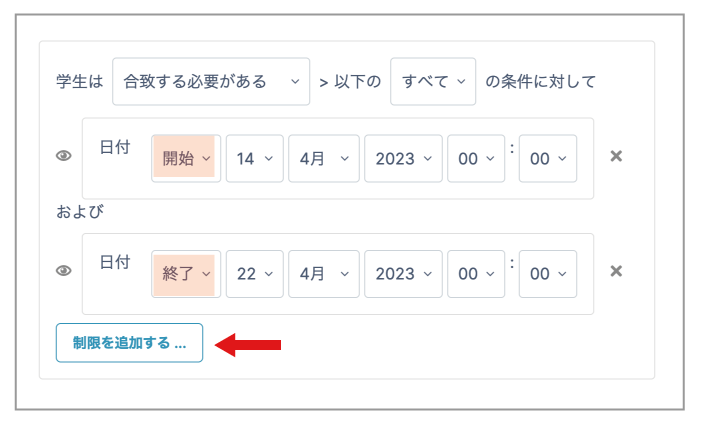
- To set an end date and time, select "Until" from the drop-down menu.
- To set both a start and an end date and time, set the start date and time, click "Add restriction", then set the end date and time.
- Click "Save and return to course" at the bottom of the page.
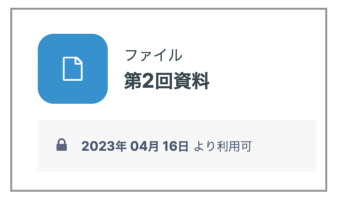
- On the student page, the content link is disabled (grayed out) outside the specified period and cannot be clicked.
It is displayed as shown below.