
In LMS/MORE, you can directly copy (import) content and activities on the course page, such as teaching materials, videos, and Quizzes, between courses in which you are enrolled as a Teacher.
The following terms are used in this explanation.
- "Source course": The course that already contains the content or activities
- "Destination course": The course to which you want to add the copied content
How to Copy Content
- Access LMS/MORE and open the destination course page.
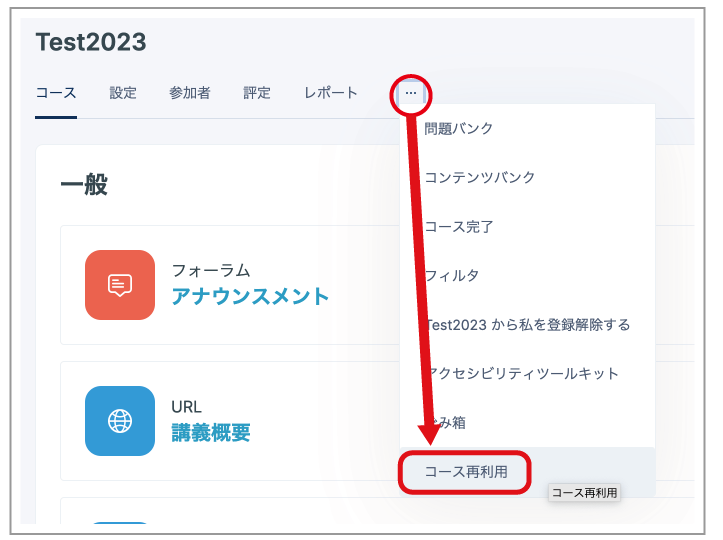
- Click "..." in the menu, then click "Course reuse".
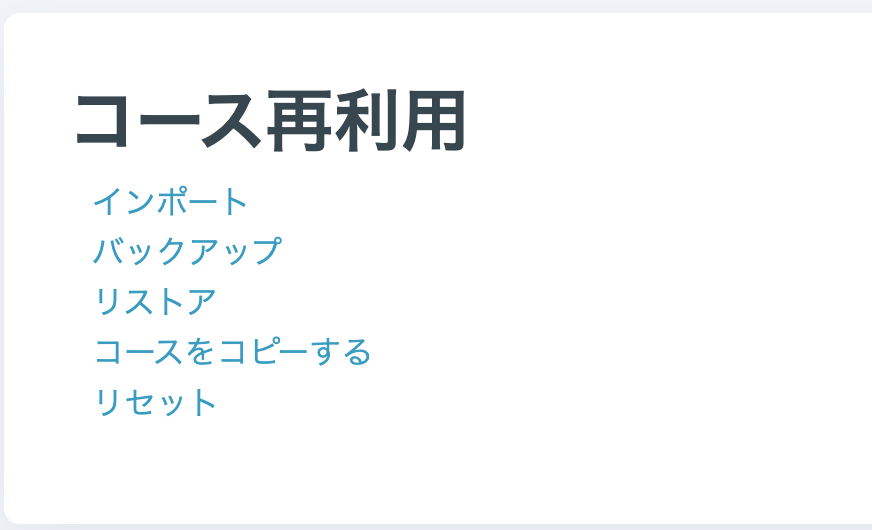
- Click "Import".
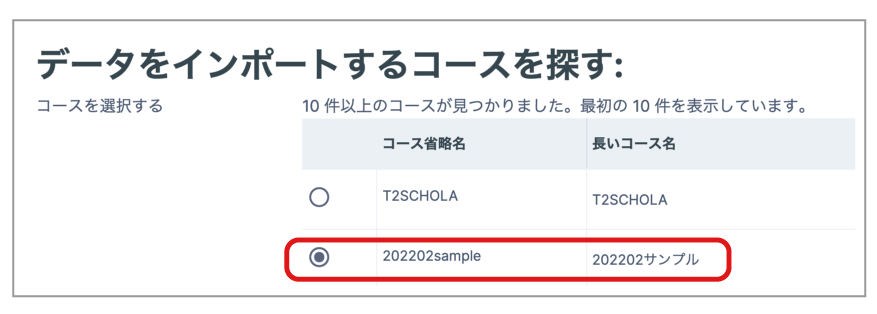
- Select the source course, then click "Continue" at the bottom of the page. (You can also search for a course using the search box at the bottom of the page.)
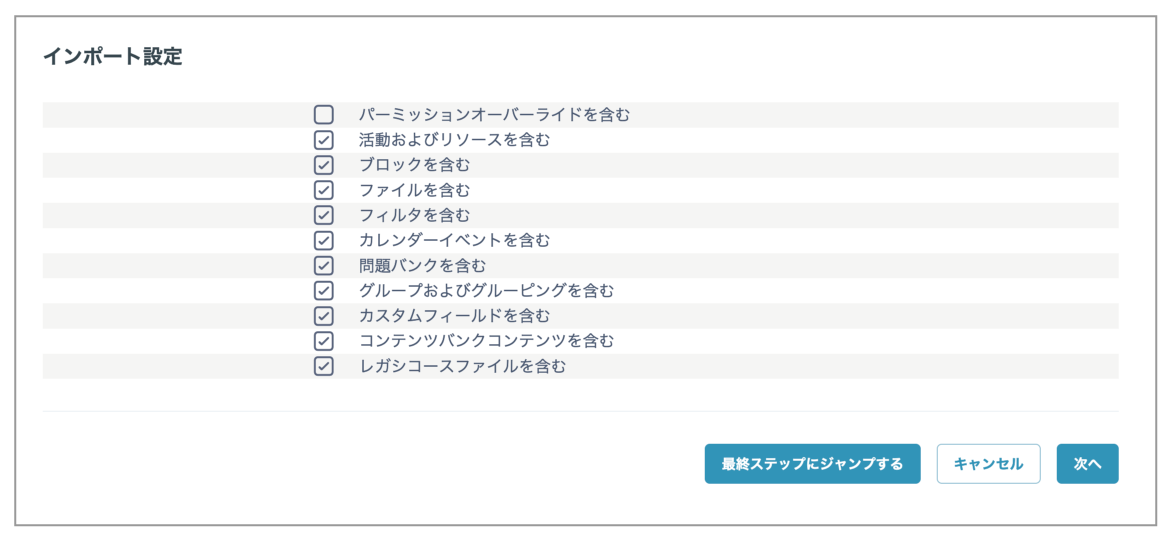
- "Import settings" is displayed. Clear the checkbox for anything you do not want to copy, then click "Next". (Unless there is a specific reason, we recommend leaving these settings unchanged.)
- The content and activities in the source course are displayed. Clear the checkbox for anything you do not want to copy, then click "Next" at the bottom of the page. (If you are copying all the content exactly as is, proceed without changing anything.)
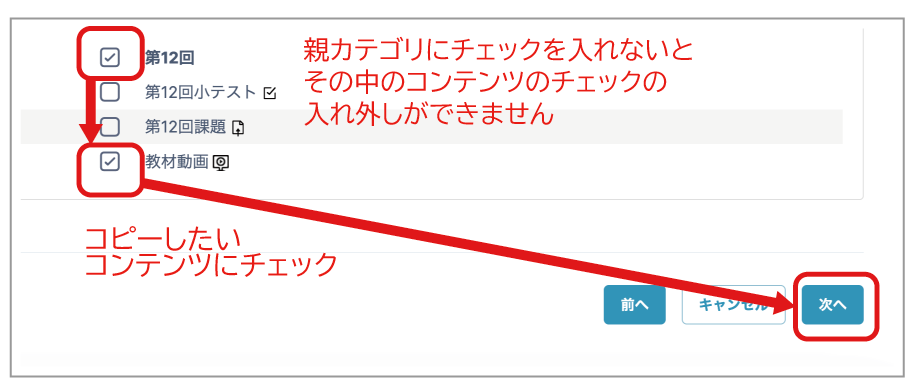
- A confirmation page is displayed. Check the contents, then click "Perform import" at the bottom of the page.
Note 1: What Is Copied
Depending on the content, both the settings (such as an Assignment due date) and associated files may be copied, while for other content only the settings are copied and the files are not.
Items for Which Both Settings and Files Are Copied
- Teaching materials (Files)
- Feedback activity
- Workshop
- Assignment
- Quiz
Items for Which Only Settings Are Copied
- Course Announcements: Only the settings are copied; Announcements posts in the source course are not copied.
- Forum: Only the settings are copied; comments posted in the source course are not copied.
Note 2: Existing Content Is Not Overwritten
If content or activities are already set up on the destination course page, they remain in place and the content and activities from the source course are added after them in the same section.
Even if content names or Assignment names are identical, the content on the destination course page is not overwritten.