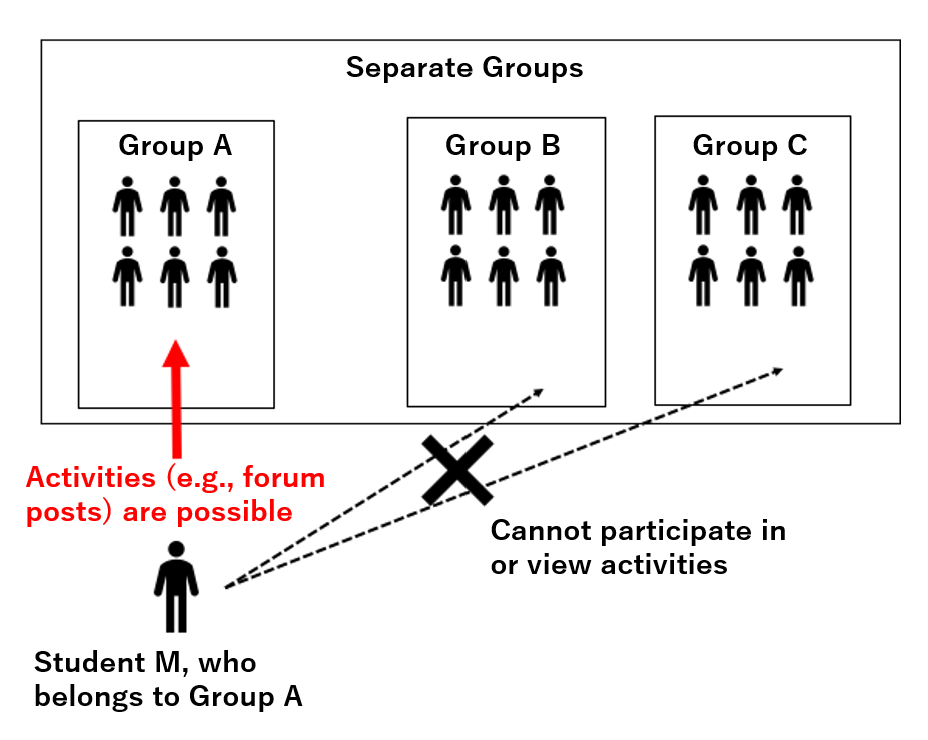
Using the group feature, you can divide students participating in a course into multiple groups and separate activities by group.
- All students can receive the same assignment while teachers check submission status and give feedback by group. This is useful when multiple teachers grade different groups, such as Teacher A for Group A and Teacher B for Group B.
- You can present specific materials or assignments only to students who belong to a specific group. This is useful when you want to give different materials or assignments to different groups.
- Students can work on learning activities together with students in the same group. For example, this is useful when you want each group to discuss a different topic.
There are two types of groups: Visible groups and Separate groups.
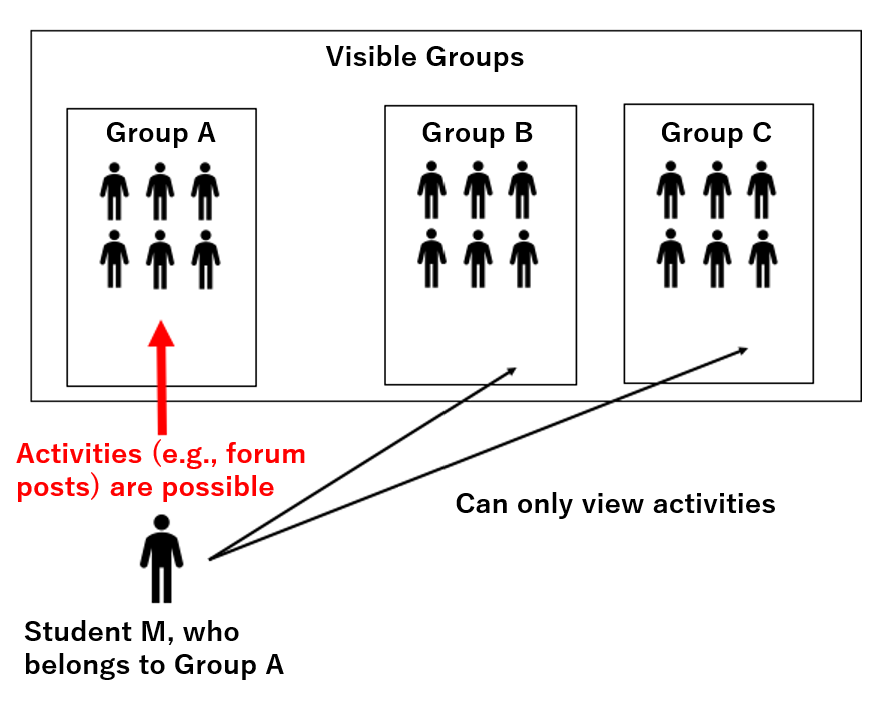
For the third case above, select Visible groups if students should be able to view the activities of other groups, or Separate groups if students should not be able to view the activities of other groups.
Visible Groups
Students can post and comment only within their own group. They can only view the screens of other groups.
Separate Groups
Students can post and comment within their own group. They cannot view the screens of other groups.