
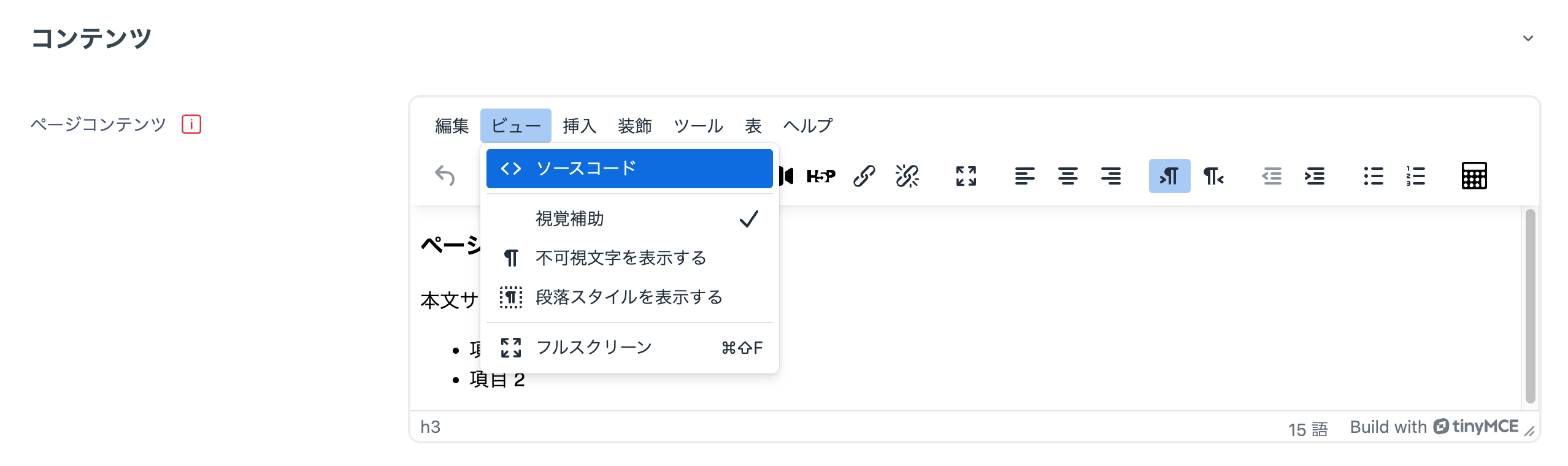
If you enter in a Text and media area or similar item the same words as the name of an activity that exists in the course (such as an Assignment or Quiz name), automatic linking may create an unintended link to the corresponding page. To disable the link, click "View" -> "Source code" as shown below to switch to source-code mode,
<span class="nolink">The Assignment or Quiz name you configured, etc.</span>
As shown above, writing the text for which you want to disable automatic linking in a <span> tag disables the link.