
You can choose whether to apply group settings individually when creating each activity, such as an Assignment or Forum. To apply group settings to every activity in a course at once, configure them centrally in the course settings.
- Open the course in which you want to configure groups.
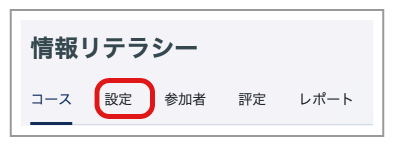
- Click "Settings" in the menu.
- Configure the "Groups" settings.
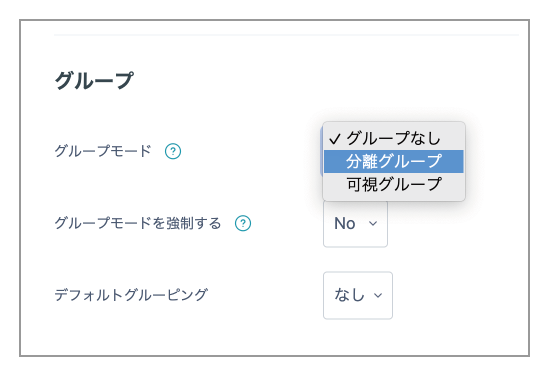
Group mode: Visible groups or Separate groups
Force group mode: Selecting "Yes" applies the group mode to every activity.
- Click "Save and display".