This section explains how to delete selected Quiz attempts, for example, when you want students to redo a Quiz after clearing their results.
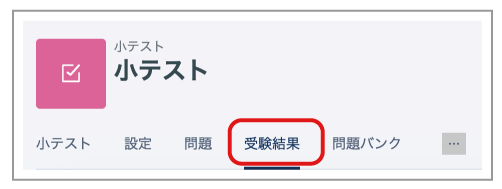
Open the relevant Quiz management page and click "Results" in the menu.
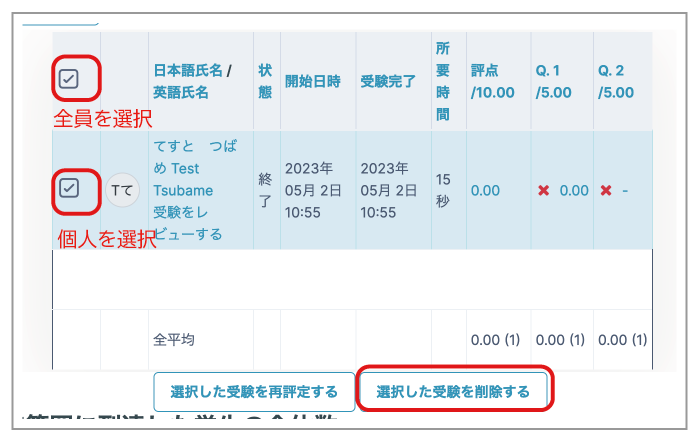
- Select the attempts you want to delete and click "Delete selected attempts". To select all students, select the checkbox at the top of the list. To select only specific students, select the checkbox in the relevant row.