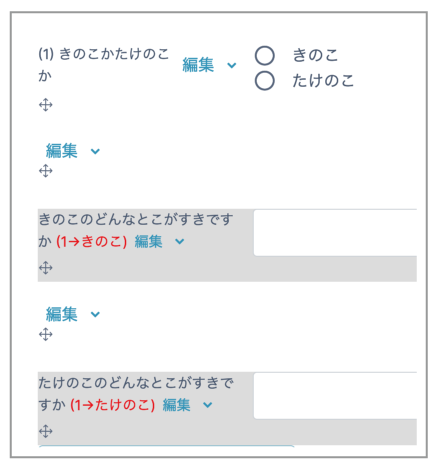
To branch questions based on responses, follow the steps below.
- Enter a value in the "Label" field of the question that will be the branching point. You can use either numbers or letters.
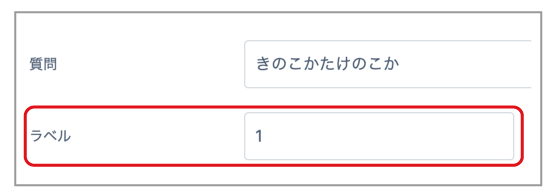
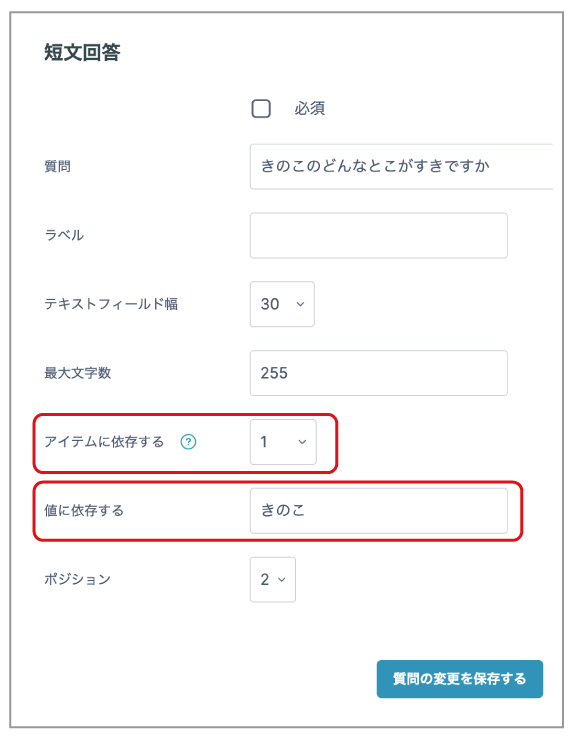
- Create the destination question. (In the example below, it is a Short text answer question.)
Enter the label value of the source question in "Depends on item".
Enter the response to the source question in "Depends on value".
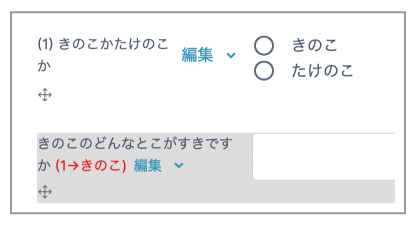
- The destination question is displayed as "(1 -> mushroom)", as shown below. This means "(label -> response)".
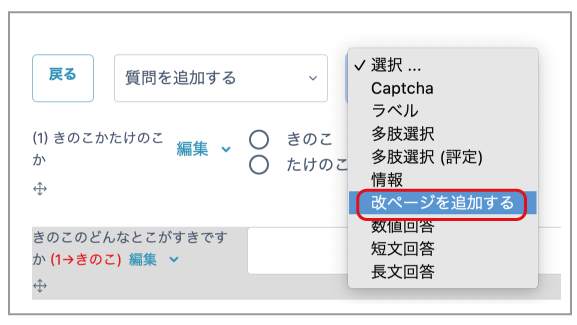
- To make the branching easier to understand, insert a page break between the source question and the destination question. Select "Add page break" from the "Add question" menu.
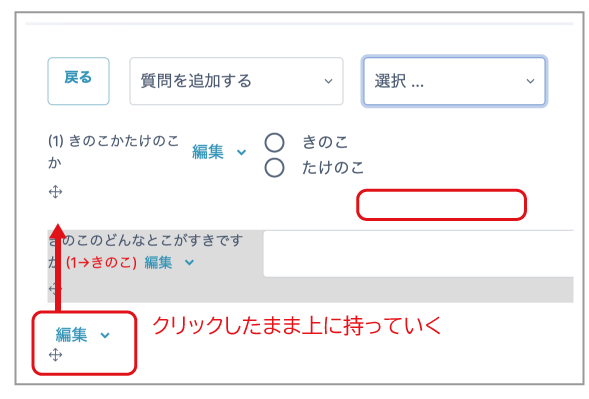
- The word "Edit" and a four-way arrow are displayed at the bottom of the page. Hold down the arrow, move the cursor between the source and destination questions, and release the click.
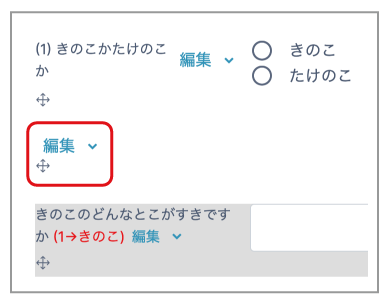
- When it has been placed correctly, it is displayed as shown below.
- If necessary, configure page breaks for other questions in the same way.