
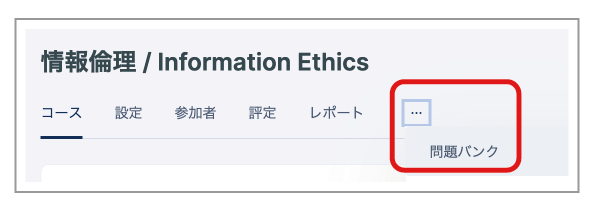
- Open the course for the relevant subject, then select "Question bank" from the "..." menu.
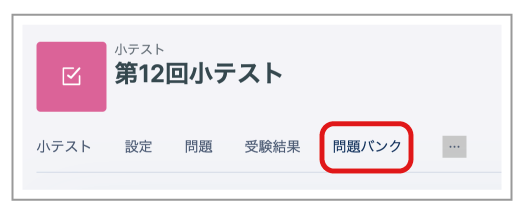
- Alternatively, open the management page for the relevant Quiz and click "Question bank" in the menu.
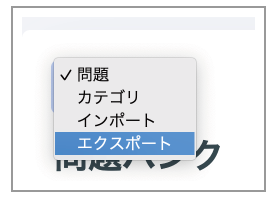
- Click "Questions", then select "Export" from the drop-down menu that appears.
- The Export page opens.
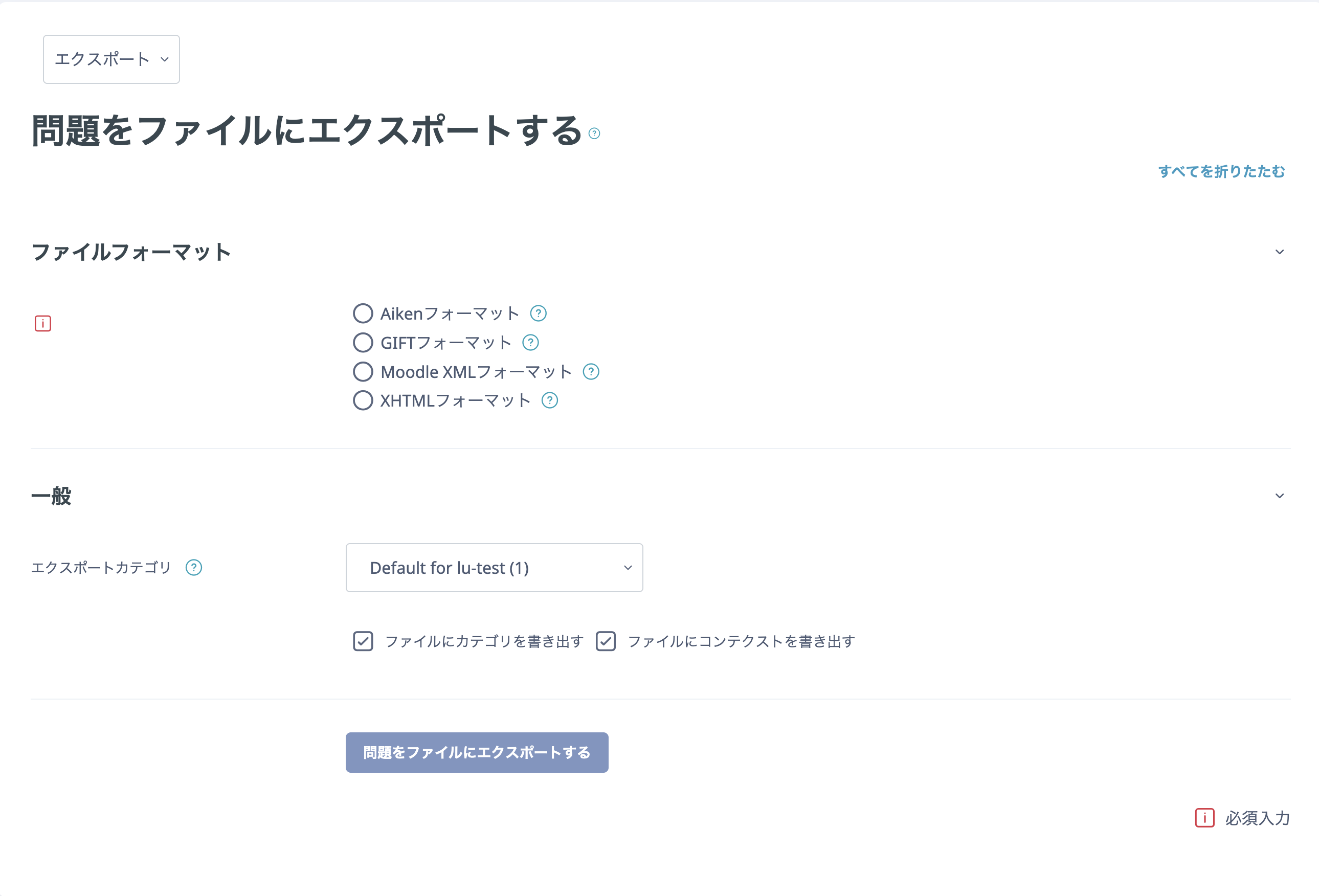
You can download each format as follows.
| Contents | Format | |
|---|---|---|
| Aiken format | Multiple choice questions only | TXT file |
| GIFT format | Multiple choice, True/False, Short answer, Matching, Missing word, Numerical, and Essay questions | TXT file |
| Moodle XML format | All questions | Moodle-specific format |
| XHTML format | All questions | XHTML |
Use Moodle XML format only when exporting and importing an entire question category (all questions) in bulk.
- Select a category.
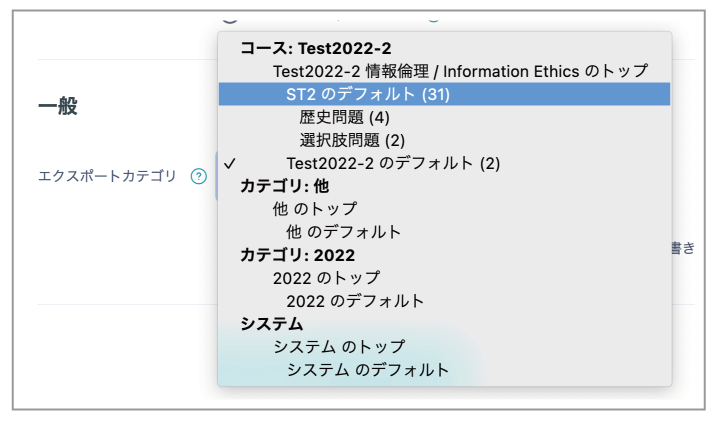
- Click "Export questions to file".