
This explains how to import Quiz questions into another course using a file exported in "Moodle XML format" as described in "Bulk Downloading Quiz Questions".
- Open the course into which you want to import questions, then select "Question bank" from the "..." menu.
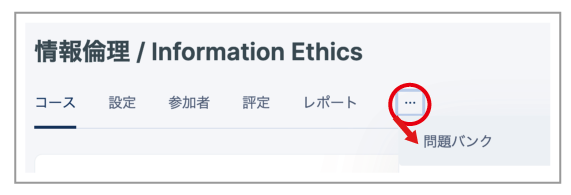
- Click "Questions", then select "Import" from the drop-down menu that appears.
- Set "File format" to "Moodle XML format".
- Drag and drop the file into the dashed box for "Import questions from file".
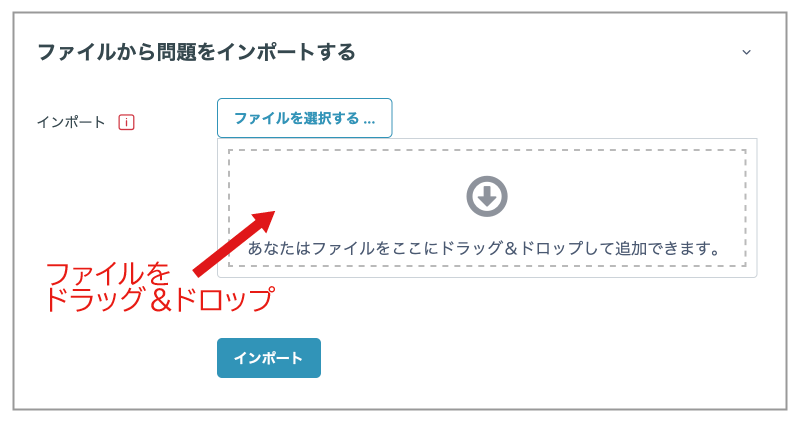
- Click "Import".
- Confirm the information on the confirmation screen, then click "Continue".