- Click "View all submissions" in the Assignment.
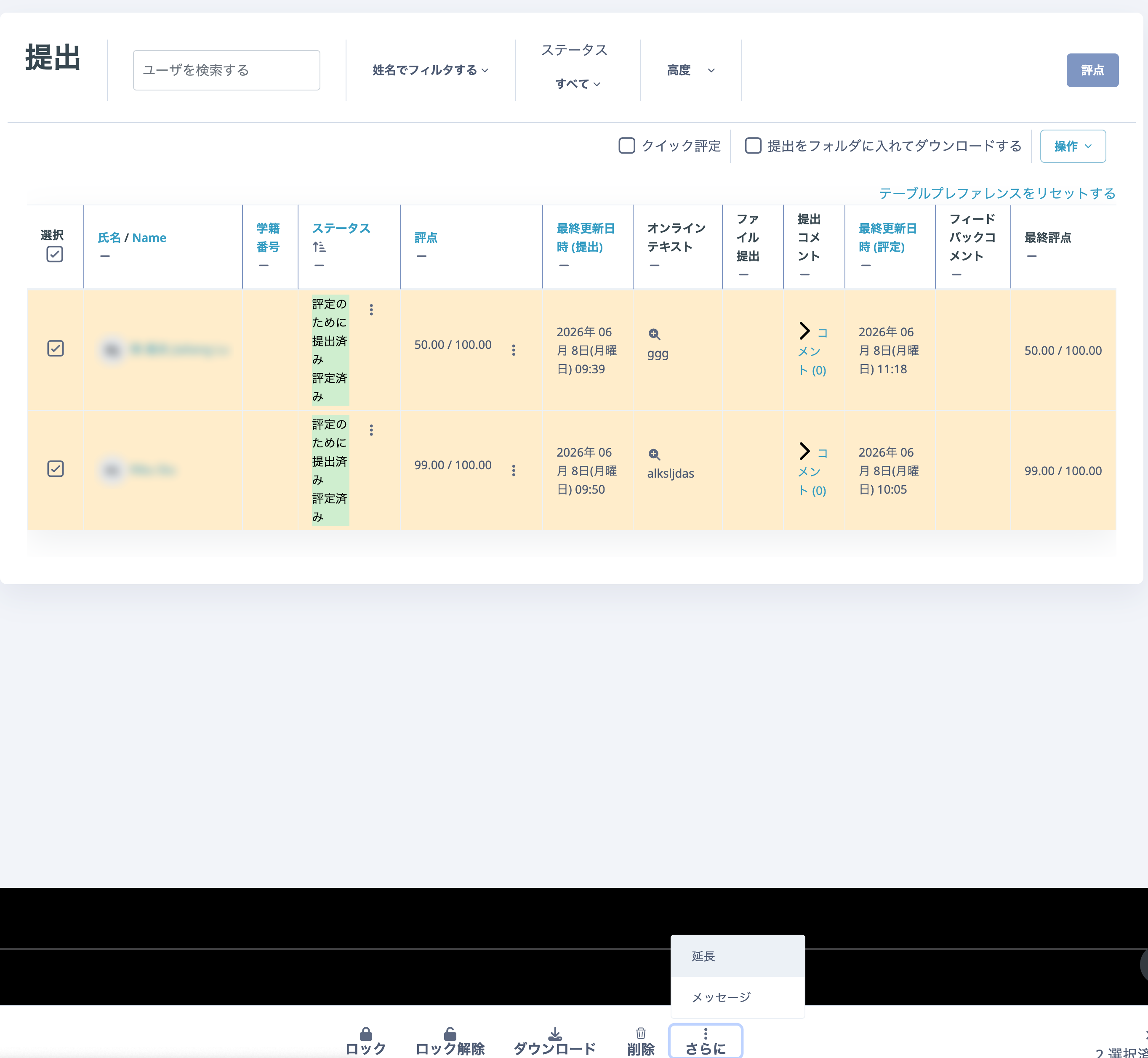
- Select the submissions. To select everyone, select the "Select" checkbox. To select individual students, select the box next to each student's name. Selected rows change colour.
- Click "Grant extension" from the "More" drop-down at the bottom of the screen.

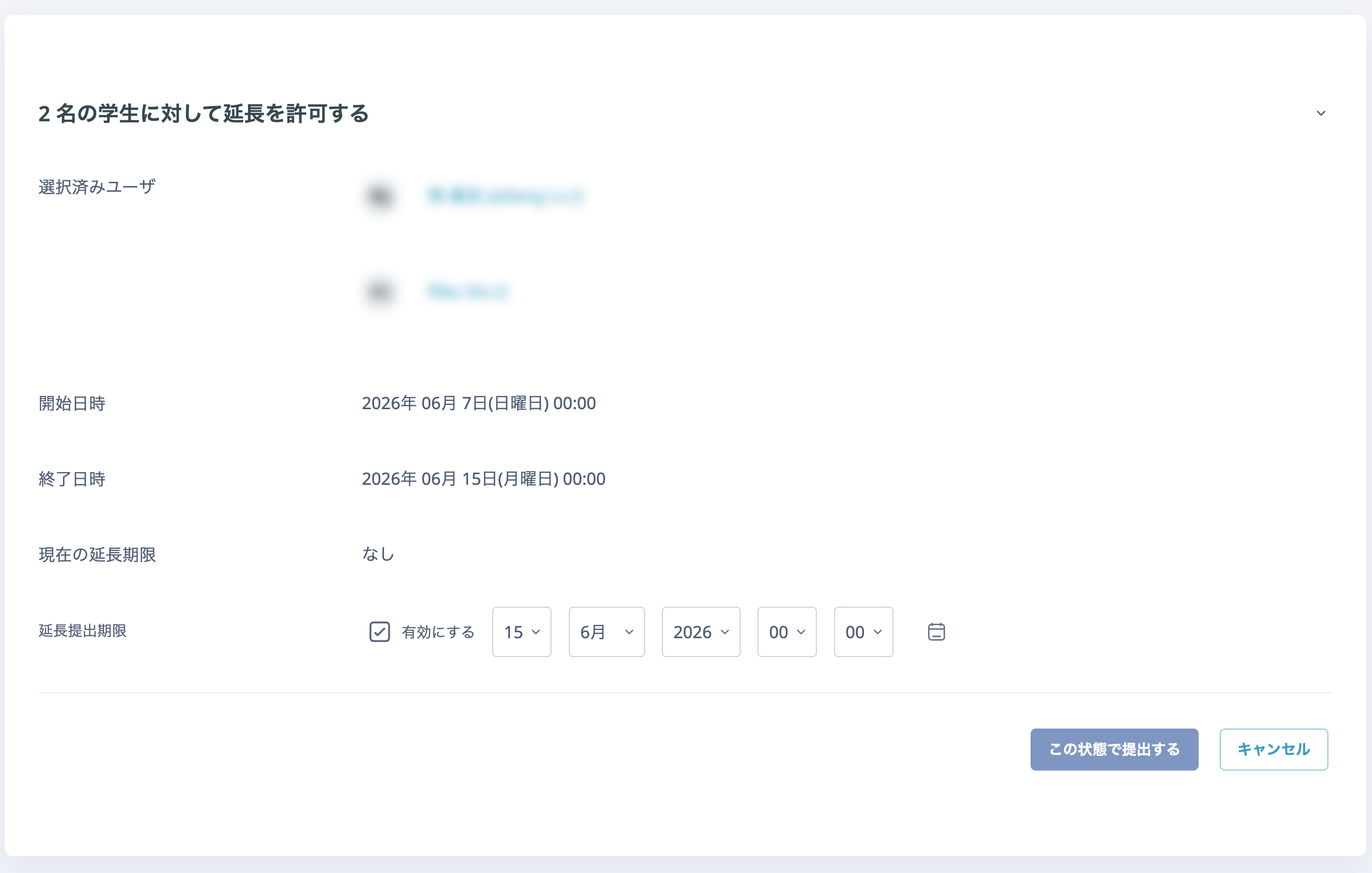
- Click "Save changes".