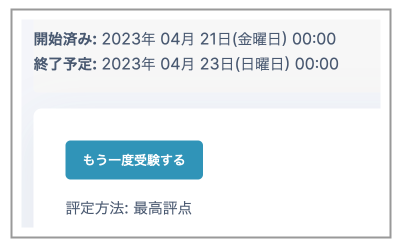
The "Overrides" feature can allow a specific student to retake a Quiz. You can configure it as follows:
- Allow a specific student another Quiz attempt.
- This can allow another attempt after the Quiz availability period set in "Settings" → "Timing" has ended.
- Restrictions set in "Settings" → "Restrict access" cannot be overridden.
- Set a longer Quiz time limit or answer deadline for only specific students.
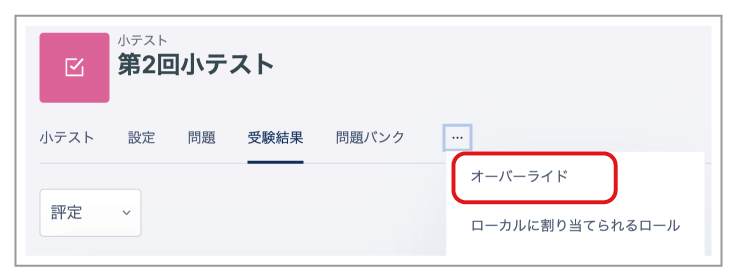
- Open the relevant Quiz management page, then select "Overrides" from "...".
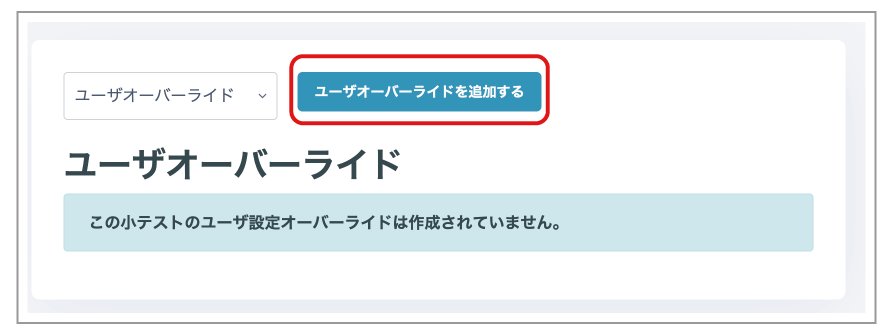
- Click "Add user override".
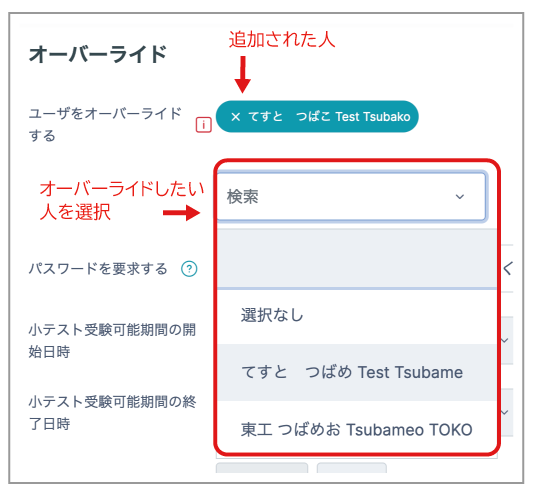
- Search for and click the student you want to add in the "Search" box. When the student has been added, their name appears in the "Selected" area at the top.
- Configure the necessary items, such as the Quiz availability period and allowed attempts. To set the availability period or time limit, select "Enable".
_Note:_ User overrides can be added only one person at a time. To configure several people under the same conditions, see "How to add multiple people under the same conditions" later in this article.
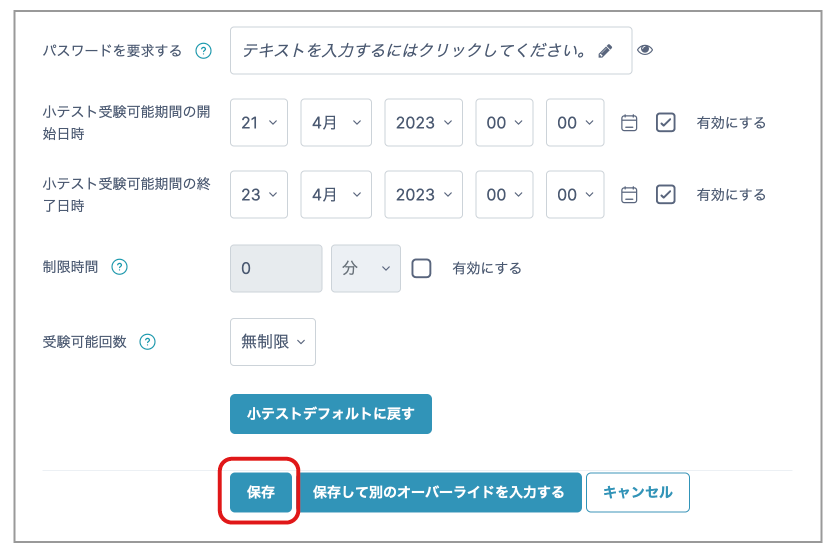
- After configuring the settings, click "Save".
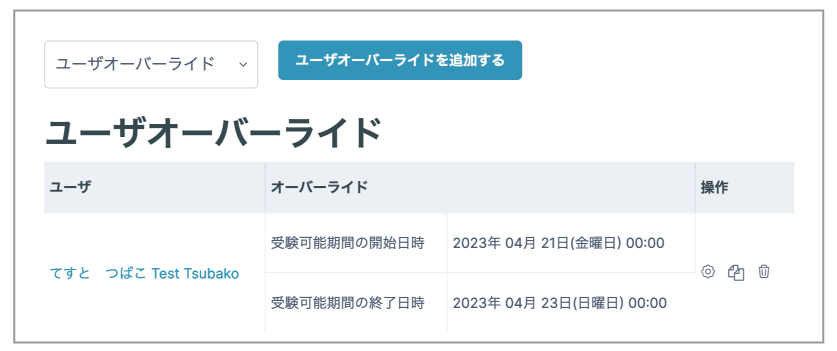
- The override is displayed.
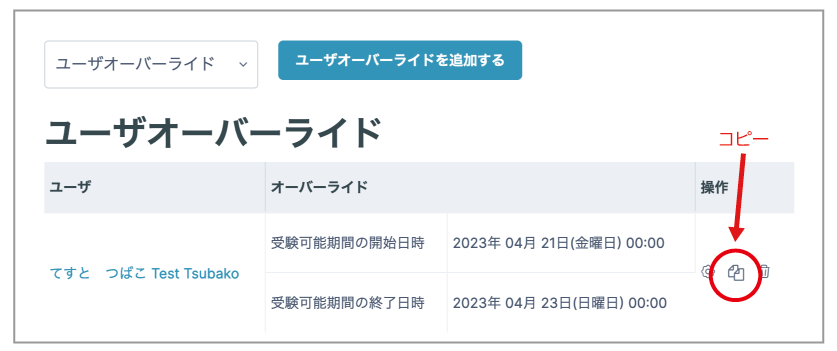
- To add multiple people under the same conditions, click the copy icon.
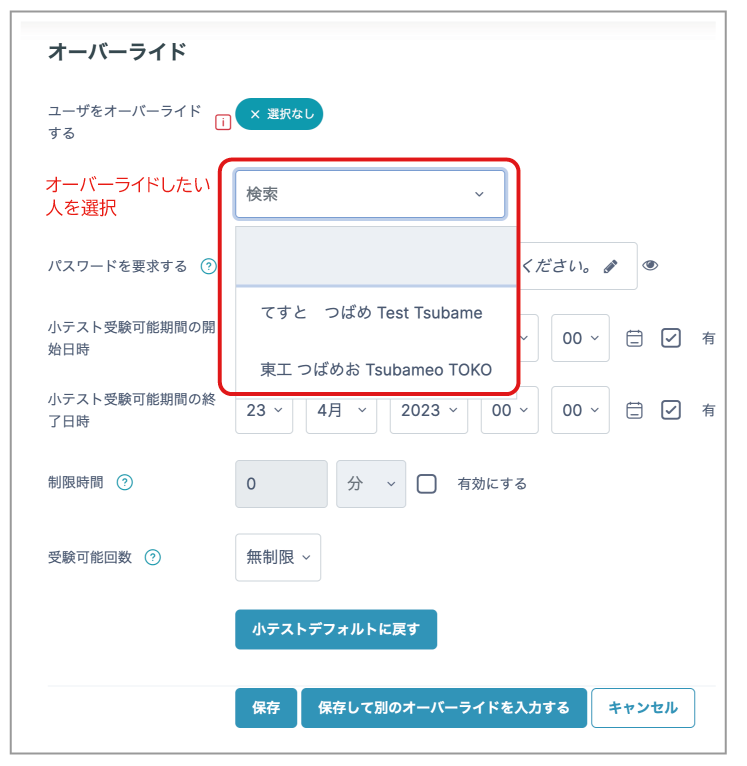
- The conditions are copied. Select the person you want to add, then click "Save".
- The student can attempt the Quiz under the configured conditions.