
- To check how a Quiz you created works, click that Quiz.
- Click "Preview quiz" to take the Quiz.
Quiz attempts made in preview mode do not add grades to "Grades".

- Answer all questions and click "Submit all and finish" to view the results page.
Check the results.
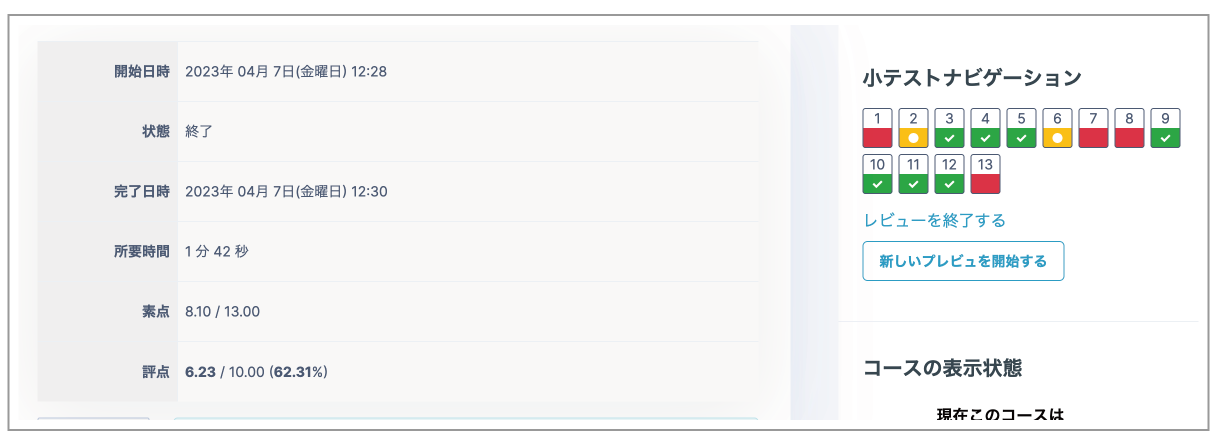
- Click "Finish review" below "Quiz navigation" on the right, or at the bottom of the page, to display the grade.
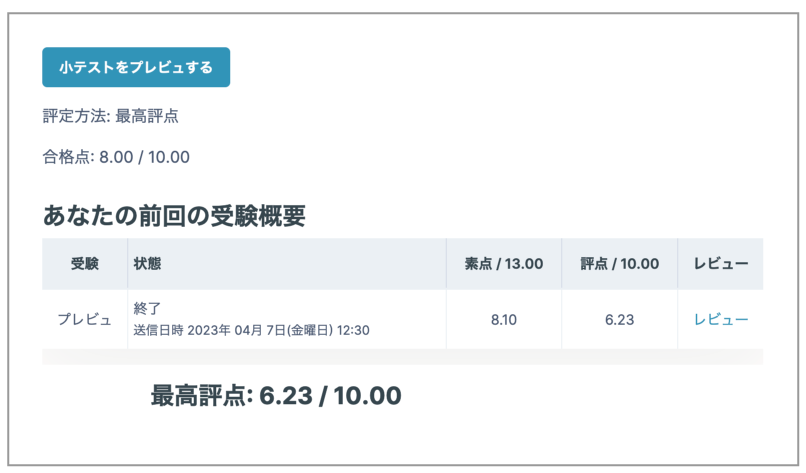
As in this example, if there are 13 questions worth 1 mark each and the total raw mark is 8.10, Moodle calculates the grade scaled to the configured maximum grade (10), resulting in "Grade (6.23)". This grade is released to students.
Note
Essay questions in a Quiz are not graded automatically. The teacher must assign a grade.